
Appearance
Windows 搭建教程
前置环境
下载并安装以下内容 NodeJS: https://nodejs.org/dist/v24.18.0/node-v24.18.0-x64.msi
git(后续更新,安装插件等内容要用到): https://github.com/git-for-windows/git/releases/download/v2.55.0.windows.2/Git-2.55.0.2-64-bit.exe
检查是否能访问到 https://github.com/SillyTavern/SillyTavern 酒馆的源码网站->若无法访问考虑直接下载zip文件.
开始部署
进入到一个文件夹中. 输入CMD 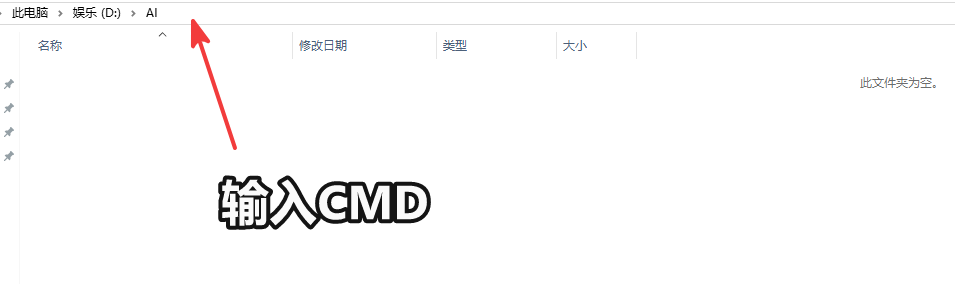
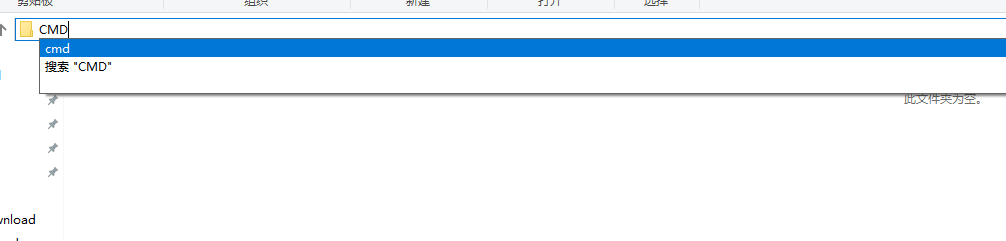
在出现的黑框中输入 git clone https://github.com/SillyTavern/SillyTavern.git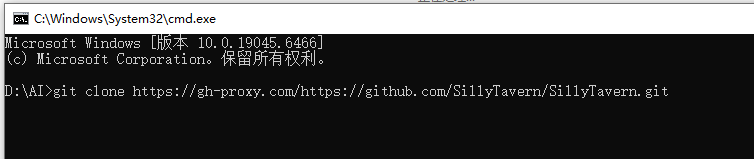
备选方案1: 通过git仓库前添加加速中转url,来获取 git clone https://gh-proxy.com/https://github.com/SillyTavern/SillyTavern.git
备选方案2(直接下载): https://xianluo.lanzouw.com/i61WA3u83n9c 下载后自行解压.
启动准备
若是window直接使用可以跳过
进入到文件目录 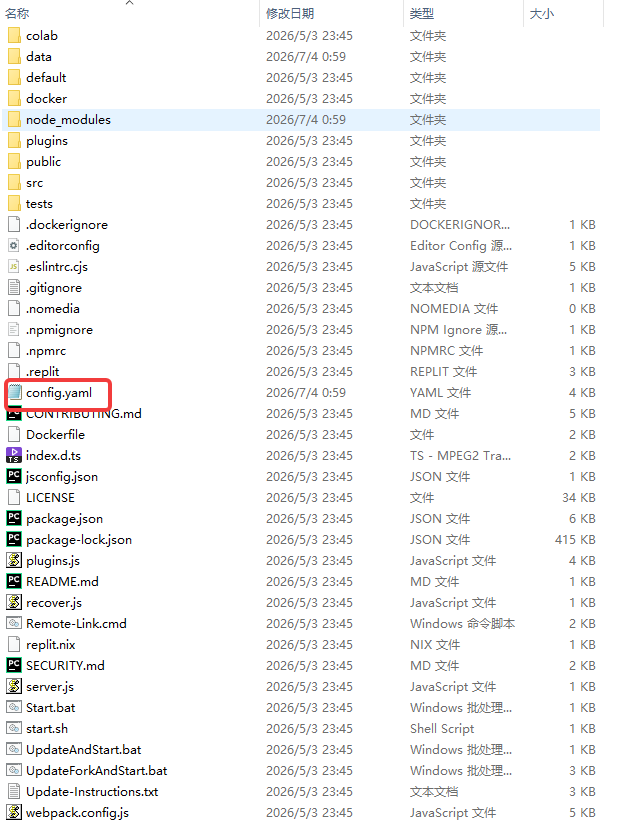 进行config设置配置. 常用配置说明
启动
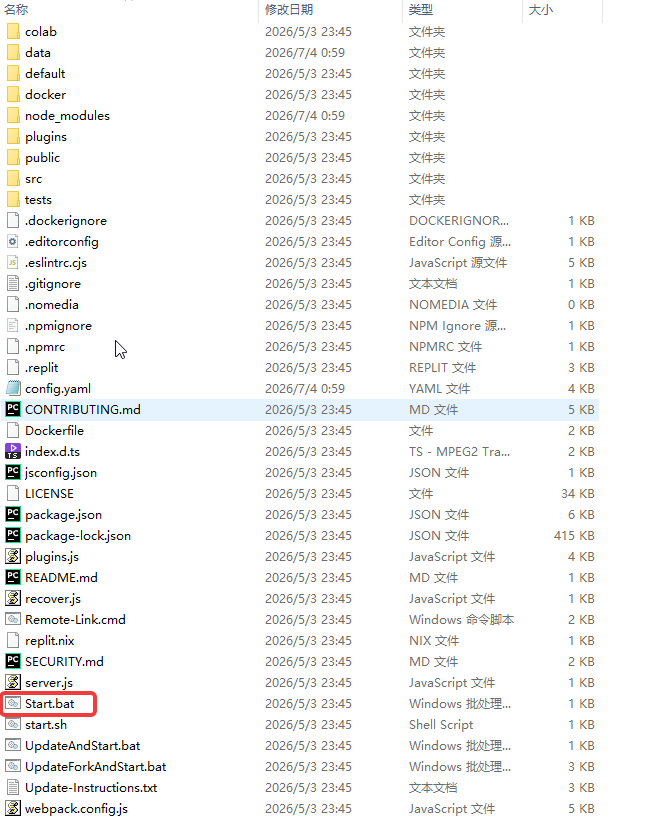 运行start.bat来安装依赖和运行程序,将会自行浏览器打开到对应的酒馆页面.